AI Agent Web Design Services for Smarter, Faster Websites

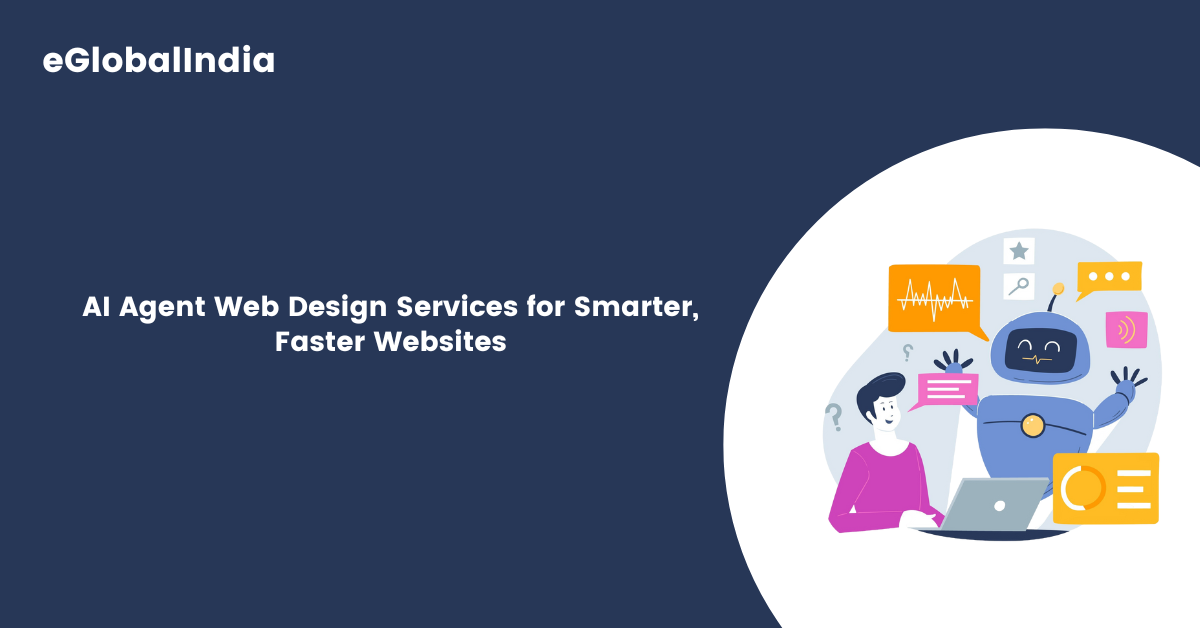
AI Agent Web Design Services for Smarter, Faster Websites

An impactful website is a key asset for any company seeking visibility and credibility online. It serves as a virtual storefront, often creating the first impression for potential customers. To stay competitive, businesses need platforms that are not just visually appealing, but also intelligent, high-performing, and responsive to user behavior.

With the evolution of artificial intelligence (AI), the landscape of web creation has shifted dramatically. Among the most powerful innovations in this space are AI agents, autonomous digital tools capable of analyzing data, making smart decisions, and executing complex tasks independently. These AI-powered systems are revolutionizing how websites are conceived, built, and maintained.

Rather than relying solely on human effort, AI agents can streamline processes like interface design, layout structuring, content generation, and user interaction tracking. They adapt to visitor preferences, suggest tailored improvements, and optimize the browsing journey in real time, resulting in quicker load times and higher engagement.

Businesses across industries are now incorporating AI agents into their digital ecosystems to accelerate development timelines, reduce costs, and enhance customer satisfaction. These intelligent assistants help deliver personalized experiences, improve accessibility, and ensure websites stay aligned with evolving user expectations.

This article will delve into the strategic role AI agents play in transforming web development. We’ll outline their core advantages, explore real-world implementations, and provide practical advice for organizations planning to adopt AI-driven design tools. By understanding the capabilities and potential of AI agents, companies can build more intuitive, adaptive, and future-ready online platforms.

Whether you’re building from scratch or upgrading an existing site, integrating AI into your design strategy could be the game-changer that elevates your digital presence to new heights.

Understanding AI Agents in Web Design

Web Design Is More Than Just Looks

Web design is no longer just about how a website looks. Today, it’s also about how well it works, how fast it loads, and how easily people can use it. To meet these goals, many businesses are now turning to AI agents—smart tools that use artificial intelligence to make websites better, faster, and more user-friendly.

What Is an AI Agent?

An AI agent is a computer program that can think and act on its own, just like a helpful assistant. It can gather information, make decisions, and carry out tasks without being told what to do every time. In web design, these agents are used to build websites, improve user experience, manage content, and more all with less effort from humans.

Learning From User Behavior

For example, an AI agent can study how visitors use a website and then change things automatically to make the experience smoother. If many users are leaving a page quickly, the AI can test different layouts, headlines, or colors to see what works better. It can even suggest the best places to put buttons or links so that users are more likely to click on them.

AI-Powered Website Builders

One great use of AI agents is in automated design. Platforms like Wix ADI or Bookmark use AI agents to help users build websites in minutes. You answer a few questions, and the AI designs a site that matches your needs. This is a big help for people who don’t know how to code or design but still want a professional-looking website.

Personalized User Experience

Another helpful use is personalization. AI agents can track what users like and show them content that matches their interests. For example, if someone often visits a section about shoes on an online store, the homepage might highlight new shoe arrivals for them the next time they visit.

Boosting SEO With AI

AI agents also play a role in SEO (Search Engine Optimization). They can scan your website to find ways to improve its ranking on Google. This might include adding keywords, speeding up the page, or fixing broken links. These improvements can help your website get more visitors.

AI Chatbots for Real-Time Support

Chatbots are another common AI agent in web design. They talk to users in real-time, answering questions and guiding them around the site. This keeps visitors engaged and can reduce the need for live customer support.

Constant Learning and Improvement

The best part is that AI agents never stop working. They keep learning from data and making the website better day by day. Unlike a one-time update, AI agents allow websites to improve continuously based on real user behavior.

Benefits of AI Agents in Web Design

  • Enhanced User Experience

AI agents analyze user behavior and preferences to create personalized experiences. By understanding how users interact with a website, AI can adjust content, layout, and navigation to better meet user needs, resulting in increased engagement and satisfaction.

  • Cost Efficiency

Automating routine tasks with AI agents reduces the need for extensive manual labor, leading to significant cost savings. Businesses can allocate resources more effectively, focusing on strategic initiatives rather than repetitive tasks.

  • Accelerated Development Process

AI-powered tools can generate design elements, write code, and test functionalities rapidly. This acceleration shortens the development cycle, allowing businesses to launch their websites faster and stay ahead in competitive markets.

  • Continuous Improvement

AI agents continuously monitor website performance, gathering data on user interactions and system metrics. They can identify areas for improvement and implement changes in real-time, ensuring the website remains optimized and relevant.

Practical Applications of AI Agents in Web Design

1. Automated Design Generation

Tools like Wix ADI and Adobe Sensei utilize AI to create website designs based on user inputs. These platforms analyze content and preferences to suggest layouts, color schemes, and typography, streamlining the design process.

2. Content Personalization

AI agents can dynamically adjust website content to cater to individual users. For instance, e-commerce sites can display products based on a user’s browsing history and preferences, enhancing the shopping experience.

3. Chatbots and Virtual Assistants

Integrating AI-powered chatbots enables real-time customer support, answering queries, and guiding users through the website. This interaction improves user engagement and can lead to higher conversion rates.

4. Search Engine Optimization (SEO)

AI agents analyze search engine algorithms and website data to recommend SEO strategies. They can suggest keyword optimizations, backlink opportunities, and content improvements to enhance search rankings.

5. Accessibility Enhancements

AI tools can assess and modify websites to ensure they are accessible to users with disabilities. This includes optimizing navigation, providing text-to-speech capabilities, and ensuring compliance with accessibility standards.

Case Studies: AI Agents Transforming Web Design

Case Study 1: E-Commerce Personalization

An online retailer implemented AI agents to analyze customer data and personalize product recommendations. This led to a 30% increase in sales and a 25% improvement in customer retention rates.

Case Study 2: Automated Website Creation

A small business utilized an AI-powered website builder to create its online presence. The tool generated a professional-looking website in a fraction of the time it would have taken manually, allowing the business to focus on its core operations.

Case Study 3: Real-Time Customer Support

A service provider integrated an AI chatbot into its website, resulting in a 40% reduction in customer service response times and a 20% increase in customer satisfaction scores.

Considerations for Implementing AI Agents in Web Design

  • Data Privacy and Security

Ensure that AI agents comply with data protection regulations and that user data is handled securely to maintain trust and legal compliance.

  • Balancing Automation with Human Oversight

While AI can automate many tasks, human oversight is essential to ensure the website aligns with the brand’s vision and values.

  • Continuous Monitoring and Maintenance

Regularly monitor the AI agents’ performance and make necessary adjustments to ensure they function as intended and continue to meet user needs.

The Future of AI Agents in Web Design

Artificial Intelligence (AI) is already changing the way websites are built and managed. With AI agents becoming smarter and faster, the future of web design looks promising. These intelligent tools are not just helping designers—they’re starting to think, learn, and create on their own. So, what can we expect next? Let’s explore how AI agents will shape the future of web design.

Smarter Designs That Understand People

In the coming years, AI agents will get even better at understanding users. They’ll be able to track how people move around a website, what they click on, and how long they stay. Using this information, AI can redesign or update a website to make it more user-friendly.

For example, if many users leave a page quickly, the AI agent might change the layout or suggest simpler wording. It will learn what works best for different audiences and adjust designs automatically.

Faster Website Creation

In the future, creating a website could take just minutes. AI agents will ask a few basic questions like what your business does or what colors you like and then instantly create a full website. From layout to images to text, everything could be done without needing to code.

This will be a big help for small businesses and individuals who don’t have a big budget or technical skills. AI will handle the complex parts, so anyone can build a professional-looking website.

Personalization at a Whole New Level

Right now, some websites show content based on your location or past behavior. But AI agents will take personalization much further. In the future, each visitor might see a slightly different version of the same website.

The site could change colors, content, or products shown based on your mood, preferences, or even time of day. This deep level of personalization will make websites feel more like personal assistants than static pages.

Helping People with Disabilities

AI agents will also make the internet more inclusive. They’ll help make sure websites can be used by everyone including people with visual, hearing, or physical disabilities. AI tools will automatically scan for problems and fix them.

For example, an AI agent might add text descriptions to images for people who are blind or adjust font sizes for people with reading difficulties. These improvements will help make the web a better place for all users.

Working with Human Designers

Even though AI agents are getting smarter, human creativity will still play an important role. In the future, designers will work with AI and not be replaced by it. AI can handle repetitive tasks and offer suggestions, but humans will still guide the overall vision and branding.

Together, AI and designers can build more beautiful, functional, and meaningful websites faster than ever before.

Frequently Asked Questions (FAQs)

Q1. Can AI agents really speed up web development?
Yes, AI agents can significantly reduce the time it takes to build a website. They automate repetitive tasks, generate code, and offer design suggestions, allowing developers to launch websites faster with fewer manual steps.

Q2. Are AI-designed websites user-friendly?
Absolutely. AI agents focus on user behavior and feedback, enabling them to create highly intuitive, responsive, and accessible web experiences tailored to the target audience.

Q3. Is AI web design suitable for small businesses?
Yes, AI web design is especially helpful for small businesses. It offers affordable, fast, and high-quality design solutions without the need for large design teams or technical expertise.

Q4. Can AI improve my existing website?
AI agents can analyze your current website’s performance and suggest improvements. They can help with SEO, loading speed, content updates, design enhancements, and more.

Conclusion

AI agents are bringing a major shift in how websites are designed and managed. They help make websites more intelligent, faster, and user-friendly. From improving user experience to cutting down development time and costs, AI agents offer many practical benefits. They can adjust layouts, personalize content, and respond to visitor behavior in real time. As technology continues to grow, businesses that use AI in web design will have a strong advantage. By embracing AI agents, companies can create websites that are not only modern and engaging but also meet the changing needs of today’s online users.

Contact Us for Custom AI Agent Web Design Services
AI Agents in SaaS Products : What They Can Do

AI Agents in SaaS Products What They Can Do

Artificial Intelligence (AI) has become a transformative force across various industries, and its integration into Software as a Service (SaaS) products is revolutionizing how businesses operate. AI agents—intelligent programs capable of autonomously performing tasks—are at the forefront of this transformation. They enhance efficiency, personalize user experiences, and provide valuable insights. This article explores the multifaceted roles of AI agents in SaaS product‘s, their benefits, challenges, and future prospects.

Understanding AI Agents in SaaS

An AI agent is a smart software program that understands what’s happening around it and takes steps to reach certain goals or solve specific tasks.In the context of SaaS, AI agents are embedded within cloud-based applications to automate tasks, analyze data, and interact with users or other systems. Unlike traditional software, these agents can learn from data, adapt to new information, and make decisions with minimal human intervention.

Key Functions of AI Agents in SaaS Products

1. Automating Repetitive Tasks

AI agents excel at handling mundane and repetitive tasks, freeing human employees to focus on strategic activities. For instance, in customer relationship management (CRM) systems, AI agents can automatically update contact information, schedule follow-ups, and send personalized emails. This automation not only increases efficiency but also reduces the likelihood of human error.

2. Enhancing Customer Support

Integrating AI agents into customer support platforms enables businesses to provide 24/7 assistance. These agents can handle a wide range of inquiries, from answering frequently asked questions to troubleshooting common issues. They can also escalate complex problems to human agents when necessary, ensuring a seamless customer experience. Companies like Zendesk have developed AI agents that resolve customer and employee conversations across various channels, delivering instant resolutions and improving satisfaction rates. 

3. Personalizing User Experiences

AI agents analyze user behavior and preferences to deliver personalized content and recommendations. In SaaS applications like streaming services or e-commerce platforms, AI agents suggest products or content tailored to individual users, enhancing engagement and satisfaction. This personalization leads to increased user retention and loyalty.

4. Streamlining Workflow Automation

By integrating with various tools and systems, AI agents can automate complex workflows. For example, in project management software, an AI agent can assign tasks based on team members’ workloads and deadlines, while in payroll software, it can automate salary calculations, send reminders, and update payroll statuses in real time. This ensures projects stay on track and resources are utilized effectively. Workflow automation AI agents are revolutionizing how businesses operate by offering adaptive learning, predictive capabilities, and seamless integration across industries. 

5. Conducting Advanced Data Analysis

AI agents can process vast amounts of data to uncover patterns and insights that might be missed by human analysis. For instance, In QA automation, AI-powered platforms like flaky test detection tools analyze automated test run data to spot unstable tests, recurring failure patterns, and regressions long before they impact users. In financial SaaS applications, for instance, AI agents can detect fraudulent activities by analyzing transaction patterns. This capability enables businesses to make informed decisions and proactively address potential issues.

6. Managing Sales and Marketing Efforts

In sales and marketing platforms, AI agents assist in lead scoring, campaign management, and customer segmentation. They can predict which leads are most likely to convert, suggest optimal times for outreach, and personalize marketing messages, thereby increasing the effectiveness of sales strategies. AI agents excel in boosting efficiency and productivity within sales teams by automating routine tasks such as data entry, lead scoring, and email follow-ups. 

7. Facilitating Integration with Third-Party Services

AI agents enable SaaS products to seamlessly integrate with other applications and services. For example, an AI agent integrated with a payment gateway can automatically reconcile invoices, track payments, and issue alerts for overdue accounts. This integration enhances the functionality and versatility of SaaS products. 

Benefits of Incorporating AI Agents into SaaS Products

Increased Efficiency and Productivity

By automating routine tasks, AI agents allow employees to focus on higher-value activities, leading to improved productivity and operational efficiency. Tasks that once took hours can now be completed in minutes, if not seconds. 

Cost Savings

Automation reduces the need for extensive human intervention, leading to significant cost savings. Businesses can allocate resources more effectively and reduce expenses associated with manual labor.

Enhanced Customer Satisfaction

AI agents provide timely and personalized interactions, leading to improved customer experiences. The ability to offer 24/7 support and instant responses enhances customer satisfaction and loyalty.

Scalability

AI agents enable SaaS products to handle increased workloads without a proportional increase in resources. This scalability is particularly beneficial for growing businesses that need to manage expanding operations efficiently.

Data-Driven Decision Making

With advanced data analysis capabilities, AI agents provide actionable insights that inform strategic decisions. Businesses can leverage these insights to optimize operations, identify new opportunities, and mitigate risks.

Challenges and Considerations

While the benefits are substantial, integrating AI agents into SaaS products comes with challenges:

Data Privacy and Security

Handling sensitive data requires robust security measures to prevent breaches and ensure compliance with regulations. Businesses must implement stringent data protection protocols and stay updated with evolving legal requirements.

Integration Complexity

Seamlessly integrating AI agents with existing systems can be complex and may require significant time and resources. Ensuring compatibility and smooth operation across different platforms is crucial for successful implementation.

Maintenance and Updates

AI agents require continuous monitoring and updating to maintain performance and adapt to changing environments. Regular maintenance ensures they function correctly and continue to provide value.

User Adoption

Employees and customers may be resistant to adopting AI-driven solutions due to unfamiliarity or fear of job displacement. Providing adequate training and demonstrating the benefits of AI agents can facilitate smoother adoption.

Frequently Asked Questions (FAQ)

1. What is an AI agent in a SaaS product?

An AI agent in a SaaS (Software as a Service) product is like a smart helper that can think, learn, and act on its own. It helps do tasks like answering customer questions, sending reminders, sorting data, or even suggesting actions without a human needing to be involved all the time.

2. Are AI agents replacing human jobs?

Not exactly. AI agents are designed to help, not take over.They take care of boring, repetitive tasks so that humans can focus on more creative, thoughtful, or decision-based work. Think of them as coworkers not competitors.

3. Can small businesses use AI agents in their SaaS tools?

Absolutely! Many SaaS platforms now include built-in AI features that are easy and affordable to use. Whether you’re a startup or a small team, you can start with AI-powered chatbots, email automation, or task reminders.

4. Is it safe to use AI agents with sensitive data?

Yes, if the SaaS provider uses proper security measures. Always choose platforms that follow data protection laws (like GDPR) and offer secure data encryption, access controls, and regular updates.

5. How do AI agents learn and improve over time?

They use a technique called machine learning. That means they analyze the data you feed them, spot patterns, and use that info to get better. The more data they see, the smarter and more accurate they become.

6. Can I build a custom AI agent for my SaaS product?

Yes, if you have a development team or work with an AI service provider. There are also AI platforms that help you build custom agents with little to no coding required—tools like Relevance AI, Knit, and others offer pre-built agent templates.

7. Are AI agents expensive?

They can be cost-effective. Many SaaS tools bundle AI features in their standard pricing. However, if you want a highly customized AI solution, that might require extra investment. But overall, they often save money in the long run by reducing manual work.

8. Where do I start if I want to add AI agents to my business tools?

Start small. Look at your current SaaS tools (like CRM, email marketing, helpdesk). Check if they offer AI features. If not, explore platforms like:

  • ChatGPT or Dialogflow for chatbots
  • Zapier for automation
  • HubSpot or Freshdesk with built-in AI
  • Or explore open AI agent platforms like Relevance AI

Final Thoughts 

AI agents in SaaS aren’t science fiction, they’re real, working, and growing every day. From organizing your tasks and helping your customers to analyzing your business data and saving time, they are becoming essential digital teammates.

The best part? You don’t need to be a tech genius to start using them. With so many easy-to-use SaaS products already offering AI features, it’s never been simpler to bring intelligence into your workflow.

As the technology continues to evolve, AI agents will become even more personal, predictive, and powerful. They won’t replace humans, they’ll empower them.

So whether you’re a business owner, developer, or someone just curious about smarter tools, now’s the time to explore AI agents. Let them handle the heavy lifting while you focus on what you do best.

Get more out of your SaaS product’s potential — contact us.

AI Agents in Manufacturing: Applications and Use Cases

AI Agents in Manufacturing: Applications and Use Cases

Introduction

Manufacturing industries constantly face various challenges, such as optimizing production workflows, reducing downtime, maintaining high-quality standards, and managing costs efficiently. Traditional approaches often struggle to keep up with these demands, leading to inefficiencies, increased expenses, and missed opportunities for innovation. Artificial Intelligence (AI) has emerged as a game-changing solution, revolutionizing the way manufacturing processes operate.

With the rise of AI agents, manufacturing is undergoing a significant transformation. These AI-driven systems streamline decision-making, improve efficiency, and offer valuable insights using advanced data analytics and predictive modeling. AI agents can rapidly process large datasets, provide crucial insights, and enhance operational efficiency, making them an essential tool for modern manufacturing.

Understanding AI Agents and Their Types

An AI agent, also called an intelligent agent, is a virtual assistant powered by artificial intelligence. It autonomously performs tasks by interpreting inputs, analyzing data, making informed decisions, and executing actions to achieve specific goals.

Key Features of AI Agents :

  • Autonomous Operations: AI agents function independently, making decisions and executing tasks without constant human intervention.
  • Adaptive Learning: They continuously improve their performance by learning from past experiences and data.
  • Collaboration: AI agents work together to solve complex challenges efficiently.

Core Functions of AI Agents :

  • Environmental Perception: AI agents monitor their surroundings, detect changes, and adjust their actions accordingly.
  • Tool Utilization: They use tools like APIs, databases, and search engines to gather necessary information.
  • Decision-Making: AI agents analyze data and make decisions based on business goals.
  • Problem-Solving: They identify issues and develop solutions before they become critical.
  • Strategic Planning: AI agents assist in long-term planning and resource management.

These capabilities make AI agents invaluable in various industries, particularly in manufacturing, where efficiency and precision are crucial.

AI Agents in Manufacturing

AI agents have become vital in the manufacturing industry, helping businesses automate processes, optimize resources, and improve decision-making. These agents analyze vast amounts of manufacturing data, enabling companies to make timely and informed decisions.

Capabilities of AI Agents in Manufacturing:

  1. Data Collection and Analysis: AI agents gather and analyze data from multiple sources, including IoT sensors, production systems, and supply chains.
  2. Process Automation: AI automates routine tasks, reducing manual labor and increasing efficiency.
  3. Decision-Making: AI agents assist in making data-driven decisions for production planning, maintenance, and quality control.
  4. Collaboration and Communication: AI enhances communication between different departments, suppliers, and partners in the manufacturing ecosystem.

By integrating AI agents, manufacturers can significantly improve their efficiency, reduce downtime, and optimize production processes.

Key Components of AI Agents in Manufacturing

AI agents in manufacturing consist of several key components that enable them to function effectively:

  1. Input: This includes data collected from sensors, machines, and human inputs. AI agents process this information to guide their actions.
  2. Brain: The cognitive function of an AI agent consists of several modules:
    • Profiling: Defines the agent’s role and objectives.
    • Memory: Stores historical data and past interactions.
    • Knowledge: Contains manufacturing protocols, quality standards, and specifications.
    • Planning: Helps optimize production schedules and workflows.
  3. Action: The AI agent executes tasks based on the collected data and learned experiences.

These components enable AI agents to operate efficiently and contribute to improving manufacturing outcomes.

Applications and Use Cases of AI Agents in Manufacturing

1. Predictive Maintenance

AI agents analyze maintenance records and sensor data to predict equipment failures before they occur. This reduces downtime, lowers maintenance costs, and improves equipment reliability.

2. Quality Control

AI agents analyze inspection reports and identify defect patterns. They help manufacturers improve product quality and prevent future defects through continuous learning.

3. Production Planning and Scheduling

AI agents optimize production schedules based on market demand, order placements, and inventory levels. They analyze scenarios and determine the most cost-effective production strategies.

4. Supply Chain Optimization

AI agents use real-time data to optimize supply chain networks. They predict demand, manage inventory, and optimize transportation routes, reducing costs and improving efficiency.

5. Process Automation

AI agents automate various language-based tasks, including analyzing manuals, generating reports, and assisting technicians in troubleshooting. This improves training efficiency and communication within teams.

6. Energy Management

AI agents monitor energy consumption in manufacturing facilities. By analyzing energy usage data, they optimize resource allocation, leading to cost savings and environmental benefits.

7. Inventory Management

AI agents track inventory levels and predict future stock requirements. They help maintain optimal inventory, reducing waste and preventing shortages.

8. Risk Management

AI agents analyze market trends, geopolitical events, and weather patterns to identify potential risks in the supply chain. They provide recommendations to mitigate risks and ensure supply chain stability.

9. Product Design and Development

AI agents analyze customer feedback and market trends to assist in product design. They generate insights that help companies create innovative products aligned with customer preferences.

10. Predictive Analytics for Market Demand

AI agents analyze market data to forecast future product demand. This helps manufacturers adjust production levels to avoid overproduction or underproduction.

11. Customer Relationship Management

AI agents analyze customer interactions and preferences to improve customer service. They provide personalized recommendations and enhance customer satisfaction.

12. Workforce Management

AI agents optimize workforce scheduling by analyzing employee performance and training needs. They ensure the right personnel are assigned to tasks, increasing productivity.

13. Real-Time Monitoring and Control

AI agents continuously monitor manufacturing processes, detecting anomalies and deviations from standard procedures. This allows immediate corrective actions to maintain process stability and product quality.

14. Waste Reduction

AI agents analyze waste generation and recycling processes to identify strategies for reducing waste and improving sustainability.

15. Supplier Evaluation

AI agents assess supplier performance by analyzing contracts, reports, and audits. They provide insights that help manufacturers select reliable suppliers.

16. Price Optimization

AI agents analyze market trends and competitor pricing to develop optimal pricing strategies. This ensures competitive pricing while maintaining profitability.

17. Training and Research

AI agents assist in training and research by providing analytics, simulations, and decision support. They improve product design and development processes.

18. Equipment Fault Tolerance

AI agents predict and detect factory faults, helping manufacturers address issues before they cause significant disruptions. This improves production reliability.

19. Factory Floor Monitoring

AI agents enhance monitoring capabilities by analyzing factory floor data. This improves safety, decision support, and quality control.

FAQs on AI Agents in Manufacturing

  1. What are AI agents in manufacturing?

    AI agents in manufacturing are intelligent systems that automate decision-making, optimize processes, and enhance efficiency through machine learning, computer vision, and real-time data analysis.

  2. How do AI agents improve manufacturing efficiency?

    AI agents optimize production by predicting equipment failures, automating quality control, streamlining supply chain management, and reducing downtime through predictive maintenance.

  3. Can AI agents reduce operational costs in manufacturing?

    Yes, AI agents can significantly lower operational costs by minimizing waste, improving resource allocation, and automating repetitive tasks, leading to higher productivity and reduced human errors.

  4. What are some real-world applications of AI agents in manufacturing?

    AI agents are used in predictive maintenance, robotic process automation, quality inspection, inventory management, and real-time production monitoring to improve efficiency and accuracy.

  5. Are AI agents replacing human workers in manufacturing?

    AI agents are not replacing human workers but augmenting their capabilities by handling repetitive, data-intensive tasks, allowing workers to focus on complex problem-solving and innovation.

Conclusion

AI agents are transforming manufacturing by automating processes, improving decision-making, and enhancing efficiency. From predictive maintenance and quality control to supply chain optimization and workforce management, AI plays a critical role in modern manufacturing.

By leveraging AI technology, manufacturers can achieve greater efficiency, reduce operational costs, and enhance innovation. As AI continues to evolve, its applications in manufacturing will only expand, helping businesses stay competitive in an increasingly digital world.

Upgrade to AI-Powered Manufacturing – Contact Us to Get Started!

How Much Does It Cost to Develop an AI Agent?

How Much Does It Cost to Develop an AI Agent

Artificial Intelligence (AI) is revolutionizing industries by automating tasks, improving decision-making, and enhancing user experiences. AI agents, which range from chatbots and virtual assistants to complex machine learning models, are becoming increasingly essential for businesses. However, developing an AI agent is a costly and resource-intensive process, involving high-end computing infrastructure, skilled AI professionals, and extensive data handling.

Understanding the cost structure of AI development helps businesses allocate budgets effectively and make informed investment decisions. This article provides an in-depth analysis of AI agent development costs, including factors influencing costs, challenges, strategies to reduce expenses, and FAQs.

Factors Influencing AI Agent Development Cost

1. Type of AI Agent

The cost varies significantly based on the type of AI agent being developed. For example:

  • Basic rule-based chatbots: $5,000 – $20,000
  • NLP-based chatbots: $30,000 – $100,000
  • AI-powered virtual assistants: $50,000 – $300,000
  • Custom AI agents for businesses: $100,000 – $500,000
  • Advanced AI systems with deep learning: $250,000 – $1,000,000+

Each AI agent type serves different business needs. A simple rule-based chatbot may be suitable for handling FAQs, whereas an advanced AI-powered assistant, like Google Assistant or Amazon Alexa, requires complex machine learning models, natural language understanding (NLU), and integration with various APIs. The level of complexity directly impacts the cost of development, training, and deployment.

2. Data Collection and Processing

AI models require high-quality datasets for training. The costs associated with data collection, labeling, and preprocessing can range from $10,000 to $500,000+, depending on data volume and quality.

The more complex an AI system, the larger and more diverse the dataset required for training. AI models, particularly in natural language processing (NLP), require large-scale annotated datasets, often sourced from third-party vendors or generated in-house. Data augmentation techniques can sometimes reduce costs but still require computational power.

Data security and compliance also add additional costs, especially when dealing with sensitive customer information in industries like finance and healthcare. IBM’s 2023 report on AI ethics highlights that biased or poor-quality data can lead to inaccurate predictions, necessitating re-training and adding further expenses.

3. Model Training and Development

Training sophisticated AI models requires high-end GPUs and cloud computing resources. The cost of training a custom AI model varies between $10,000 and $1,000,000.

For instance, training OpenAI’s GPT-3 reportedly cost several million dollars, considering the enormous dataset size and computational power required. Using cloud-based AI model training can reduce initial infrastructure costs, but expenses still accumulate over time, particularly if frequent retraining is necessary.

A McKinsey & Company survey found that 60% of AI projects fail due to unforeseen costs, with model training often being the biggest cost driver.

4. Cloud Computing and Infrastructure

Hosting an AI model requires cloud servers or on-premise infrastructure. Cloud computing expenses can range from $20,000 to $500,000 per year, depending on usage.

Leading AI companies use cloud-based solutions like Amazon Web Services (AWS), Google Cloud AI, and Microsoft Azure to host and scale their AI models. Cloud services charge based on usage, storage, and computational power, leading to variable costs.

Large-scale AI applications often require on-premise hardware, including powerful NVIDIA A100 GPUs, which can cost $10,000+ per unit. These costs add up quickly, making cloud-based solutions a preferred choice for startups.

5. AI Development Team

Building an AI agent requires expertise in AI, ML, and software development. Hiring AI engineers, data scientists, and software developers costs between $100,000 and $500,000+ annually.

The average salaries for AI professionals are:

  • AI Engineer: $110,000 – $250,000 per year
  • Data Scientist: $90,000 – $180,000 per year
  • ML Engineer: $120,000 – $200,000 per year
  • Software Developer for AI projects: $80,000 – $150,000 per year

For startups or companies with limited budgets, outsourcing AI development to countries with lower labor costs can reduce expenses significantly.

6. Security and Compliance

AI agents handling sensitive user data must comply with regulations like GDPR and HIPAA. Security and compliance measures can add an additional $20,000 to $200,000 to the development budget.

With increasing AI regulation worldwide, ensuring compliance with data privacy laws is critical. For instance, violating GDPR laws can result in fines of up to $20 million or 4% of annual revenue.

7. Ongoing Maintenance and Updates

AI models need continuous updates to remain effective. Regular maintenance costs range from $10,000 to $100,000+ per year.

AI systems degrade over time if not updated. Model drift occurs when AI models start performing poorly due to changes in real-world data. Continuous monitoring and updates ensure AI agents stay relevant.

Development Cost Breakdown

AI Development Component

Estimated Cost Range

Basic AI Chatbot

$5,000 - $20,000

NLP-Based Chatbot

$30,000 - $100,000

AI-Powered Virtual Assistant

$50,000 - $300,000

Custom AI Agent for Businesses

$100,000 - $500,000

Advanced AI with Deep Learning

$250,000 - $1,000,000+

Data Collection & Processing

$10,000 - $500,000+

Model Training Costs

$10,000 - $1,000,000

Cloud Computing Infrastructure

$20,000 - $500,000+

AI Software Development Team

$100,000 - $500,000+

Security & Compliance

$20,000 - $200,000

Ongoing Maintenance & Updates

$10,000 - $100,000+

Strategies to Reduce AI Development Costs

  1. Use Pre-Trained AI Models: Instead of building AI models from scratch, businesses can leverage open-source or pre-trained AI models such as OpenAI’s GPT, Google’s BERT, or IBM Watson.
  2. Leverage Cloud Services: Instead of investing in expensive hardware, using cloud computing solutions like AWS, Azure, or Google Cloud can reduce infrastructure costs.
  3. Outsource AI Development: Hiring AI developers in countries with lower labor costs can significantly reduce expenses.
  4. Optimize Data Collection: Using synthetic data or data augmentation techniques can help cut data collection costs.
  5. Automate Model Training: Implementing AutoML (Automated Machine Learning) tools can streamline AI development and reduce human resource dependency.

FAQs

1. How much does it cost to develop an AI chatbot?

A basic AI chatbot costs between $5,000 – $20,000, whereas an advanced AI-powered chatbot can range from $50,000 to $300,000, depending on features and complexity.

2. What factors impact AI development costs the most?

Key factors include the type of AI agent, data collection and processing, cloud computing infrastructure, AI development team, and ongoing maintenance.

3. Can AI development costs be reduced?

Yes, using pre-trained models, cloud services, and outsourcing development can help reduce AI development costs.

4. What are the hidden costs in AI development?

Hidden costs include data annotation, compliance with regulations, model retraining, security enhancements, and cloud computing expenses.

5. Is AI development worth the investment?

Yes, AI enhances efficiency, automates processes, and improves customer experiences, making it a valuable long-term investment.

Want to know the cost of developing an AI agent? Contact us now!

AI in Mobile App Development: Benefits, Challenges & Best Practices

AI in Mobile App Development Benefits, Challenges & Best Practices

Introduction

Artificial Intelligence (AI) is reshaping the way mobile applications function, making them smarter, more responsive, and user-centric. From voice assistants and chatbots to personalized recommendations and predictive analytics, AI is transforming mobile apps across various industries. Businesses are leveraging AI to enhance customer experience, automate processes, and drive higher engagement. However, AI implementation in mobile app development also presents several challenges, such as high costs, data privacy concerns, and the complexity of integration.

This article will explore AI in mobile app development in depth, discussing its benefits, challenges, and best practices for effective implementation. We will also address common questions related to AI-powered mobile applications in the FAQ section.

Benefits of AI in Mobile App Development

1. Enhanced User Experience

AI-powered applications provide a more intuitive and interactive user experience. By analyzing user behavior, AI enables features such as smart search, voice recognition, and auto-suggestions, making apps more user-friendly. For example, Google Search uses AI to predict search queries and display relevant results instantly.

2. Personalization

AI plays a vital role in offering personalized experiences in mobile apps. It analyzes user preferences, browsing history, and interactions to suggest content, products, or services tailored to individual users. Streaming services like Netflix and music apps like Spotify leverage AI to recommend movies and songs based on user behavior.

3. AI-Powered Chatbots & Virtual Assistants

AI chatbots and virtual assistants enhance customer support by providing instant responses and assistance. Chatbots are widely used in customer service apps, banking, and e-commerce platforms. AI-powered assistants like Siri, Google Assistant, and Alexa allow users to perform tasks using voice commands, improving accessibility and convenience.

4. Improved Security & Fraud Detection

AI enhances mobile app security by detecting fraudulent activities and identifying cybersecurity threats. AI-powered security systems analyze user behavior patterns to flag suspicious transactions or unauthorized access. Banking apps use AI to detect unusual activity and prevent financial fraud.

5. Automation & Operational Efficiency

AI automates repetitive tasks, reducing manual effort and increasing efficiency. AI-driven automation is used in mobile applications for appointment scheduling, auto-replies, predictive text input, and even self-checkout processes in e-commerce apps.

6. Image & Voice Recognition

AI enables accurate image and speech recognition, allowing mobile apps to offer innovative features. Apps like Google Lens recognize objects and translate text in images, while voice assistants use AI to process speech and execute commands.

7. Predictive Analytics

AI helps businesses predict trends and user behavior by analyzing large datasets. Predictive analytics are widely used in healthcare apps for diagnosing medical conditions, in e-commerce for demand forecasting, and in finance for investment predictions.

8. AI in Augmented Reality (AR) & Virtual Reality (VR)

AI enhances AR and VR experiences in mobile apps, making them more immersive. AI-powered AR filters in apps like Snapchat and Instagram adjust images in real-time, while AI-driven VR applications provide realistic simulations in gaming and training environments.

Challenges of AI in Mobile App Development

1. High Development Costs

Implementing AI in mobile applications requires significant investment in research, development, and infrastructure. AI-powered features demand skilled developers, data scientists, and sophisticated computing power, increasing overall costs.

2. Data Privacy & Security Concerns

AI relies on collecting and analyzing vast amounts of user data, raising concerns about data privacy and compliance with regulations like GDPR and CCPA. Businesses must ensure that user data is securely stored and protected from breaches.

3. Complex Integration & Maintenance

Integrating AI into mobile applications is technically challenging and requires expertise in machine learning, deep learning, and data science. Additionally, AI models need continuous updates and maintenance to remain accurate and efficient.

4. Dependence on Large Datasets

AI models require vast amounts of high-quality data for training and decision-making. Collecting and processing this data can be time-consuming, and biased or insufficient data may lead to inaccurate AI predictions.

5. Ethical Issues & Bias in AI

AI algorithms can sometimes exhibit biases based on the data they are trained on. Biased AI decisions can lead to unfair outcomes, particularly in hiring, lending, and law enforcement applications. Developers must ensure that AI systems are unbiased and ethical.

6. Impact on Jobs & Human Workforce

As AI automates various tasks, concerns arise about job displacement. While AI enhances efficiency, businesses need to strike a balance between automation and human employment to minimize negative impacts on the workforce.

Best Practices for Implementing AI in Mobile Apps

1. Clearly Define Objectives

Before integrating AI, businesses must outline their objectives, whether improving user engagement, automating tasks, or enhancing security. Defining clear goals helps in selecting the right AI technologies.

2. Choose the Right AI Tools & Technologies

Different AI technologies serve different purposes. Some commonly used AI solutions for mobile apps include:

  • Natural Language Processing (NLP): Used in chatbots and voice assistants.
  • Machine Learning (ML): Enables predictive analytics and personalization.
  • Computer Vision: Powers image recognition and AR applications.

3. Ensure Data Security & Compliance

To maintain user trust, AI-powered mobile apps must implement robust security measures, including encryption, secure authentication, and compliance with data protection regulations.

4. Optimize Performance & User Experience

AI features should be optimized for fast processing and minimal battery consumption. Cloud-based AI solutions help offload processing tasks from mobile devices, enhancing performance.

5. Test & Monitor AI Models

AI algorithms require extensive testing to ensure accuracy, efficiency, and fairness. Regular updates and monitoring help refine AI models based on real-world user interactions.

6. Combine AI with Human Oversight

While AI automates various tasks, human supervision is crucial to ensure ethical decision-making and prevent errors. Businesses should strike a balance between AI automation and human intervention.

Future Trends in AI-Powered Mobile Apps

  • AI-Enhanced AR & VR: AI will further advance AR and VR applications, making them more realistic and interactive.
  • AI-Powered Healthcare Apps: AI will revolutionize mobile healthcare apps with improved diagnostics, virtual health assistants, and real-time monitoring.
  • Hyper-Personalization: AI will offer even more refined personalization, understanding user behavior with higher accuracy.
  • Automated App Testing: AI will play a crucial role in automating app testing, reducing development time and costs.

Frequently Asked Questions (FAQ)

1. What is AI in mobile app development?

AI in mobile app development refers to the integration of artificial intelligence technologies such as machine learning, NLP, and computer vision to enhance functionality, user experience, and automation.

2. How does AI improve mobile apps?

AI improves mobile apps by providing personalized recommendations, automating tasks, enhancing security, enabling voice and image recognition, and offering predictive analytics.

3. What are some examples of AI-powered mobile apps?

Examples include Google Assistant, Siri, Netflix, Amazon Alexa, and Google Lens.

4. What challenges do businesses face when implementing AI in mobile apps?

Challenges include high development costs, data privacy concerns, technical complexity, ethical concerns, and dependency on large datasets.

5. Will AI replace human developers?

No, AI will not replace developers but will assist them by automating repetitive tasks and enhancing app functionalities.

Conclusion

AI is revolutionizing mobile app development, offering significant benefits such as personalization, automation, enhanced security, and predictive analytics. However, businesses must also navigate challenges like data privacy, high costs, and AI biases. By following best practices, companies can successfully integrate AI into mobile applications and stay ahead in the competitive app market.

Transform Your App with AI – Contact Us!

AI in Ecommerce : Applications, Benefits, and Challenges

AI in Ecommerce Applications, Benefits, and Challenges

In recent years, the world of ecommerce has experienced a massive shift. With the internet becoming an essential part of our daily lives, online shopping has become more than just a convenience it’s now a necessity. Alongside this growth, there’s another powerful force making waves: artificial intelligence, often known as AI. While many people might imagine robots or complex machines when they hear the word “AI,” its use in ecommerce is more subtle yet incredibly impactful.

In this article, we’ll take a deep dive into how AI is used in ecommerce, what benefits it brings to businesses and customers, and the challenges companies face when implementing it. We’ll keep everything clear, simple, and easy to understand, no confusing tech jargon here.

What is AI in Ecommerce?

At its core, AI refers to computer systems that can perform tasks usually requiring human intelligence. This includes understanding language, learning from experience, recognizing patterns, and making decisions. In the context of ecommerce, AI helps online stores and businesses offer better services, understand customer behavior, and make smarter decisions.

Instead of relying purely on guesswork, ecommerce companies can now use AI to analyze data, recommend products, answer customer queries, manage inventory, and much more.

Key Applications of AI in Ecommerce

Let’s explore the main ways AI is being used in the ecommerce world today.

1. Personalized Shopping Experiences

When you visit an online store and see product suggestions that seem perfectly tailored to your taste, chances are AI is at work. AI systems analyze what you’ve searched, clicked on, and bought in the past to recommend products you’re more likely to want. This makes shopping faster and more enjoyable for customers and it boosts sales for businesses.

2. Chatbots and Virtual Assistants

Many ecommerce websites now offer live chat support. But instead of a human on the other side, it’s often a chatbot powered by AI. These chatbots can answer common questions, help with order tracking, and even guide customers in choosing products. Available 24/7, they save time for both customers and businesses.

3. Product Recommendations

AI doesn’t just rely on your past behavior. It also looks at what other customers with similar interests have liked. It then recommends products you might enjoy. This “people also bought” or “you might like this” feature is powered by smart algorithms.

4. Visual Search

Instead of typing keywords to search for a product, some platforms now let you upload a picture. AI then analyzes the image and finds similar items. This is especially useful for fashion or home decor shopping.

5. Inventory and Supply Chain Management

AI helps businesses manage their stock levels more efficiently. It can predict which products will be in demand and when. This way, companies don’t overstock or run out of items. AI also helps improve the speed and accuracy of deliveries.

6. Dynamic Pricing

AI systems can adjust product prices in real-time based on demand, competition, and customer behavior. For example, if many people are viewing a product, the price may go up slightly. On the other hand, slow-moving products may be discounted to attract buyers.

7. Fraud Detection

AI can detect unusual patterns in transactions and alert businesses to possible fraud. This is crucial in protecting customer data and preventing unauthorized purchases.

8. Customer Feedback Analysis

Instead of reading thousands of reviews manually, businesses can use AI to analyze customer feedback and spot recurring themes like quality issues or popular features. This helps in making better product and service decisions.

Benefits of Using AI in Ecommerce

Now that we’ve seen how AI is used in online shopping, let’s understand why it’s so valuable. Here are some of the biggest benefits for both ecommerce companies and their customers.

1. Better Customer Experience

AI helps provide more personalized, relevant, and convenient shopping experiences. Whether it’s finding the right product or getting quick answers to questions, customers feel more satisfied and are more likely to return.

2. Increased Sales and Revenue

With better recommendations, smarter pricing, and improved service, businesses can boost their sales. AI helps convert casual visitors into paying customers and encourages repeat purchases.

3. Efficiency and Time Saving

Tasks that used to take hours like answering questions or analyzing sales data—can now be done in seconds by AI. This saves time for staff and reduces operational costs.

4. Smarter Marketing

AI can help businesses understand their customers better and target them with personalized emails, offers, and ads. Instead of sending the same message to everyone, companies can craft unique campaigns for different customer groups.

5. Reduced Human Error

AI systems don’t get tired or distracted. This means they are less likely to make mistakes when processing orders, managing inventory, or calculating prices.

6. Global Reach and Scalability

With AI, small ecommerce businesses can serve thousands of customers across the world with the same level of efficiency as big corporations.

Real-Life Examples of AI in Ecommerce

To bring all this to life, let’s look at how some popular companies use AI in their ecommerce platforms.

Amazon

Amazon uses AI for everything from product recommendations to managing its massive warehouses. Its voice assistant, Alexa, can even help you order products using your voice. Amazon’s AI also powers its dynamic pricing system, adjusting prices many times a day.

Netflix (Though not a typical ecommerce site)

Netflix uses AI to suggest shows and movies based on your past viewing history. This same technology is used by ecommerce sites to recommend products.

eBay

eBay uses AI to help sellers write better listings, spot fake products, and improve the shopping experience for buyers.

H&M

The fashion brand uses AI to analyze what’s trending and manage its inventory. It also personalized shopping experiences on its website and app.

Challenges of Using AI in Ecommerce

While AI brings many benefits, it’s not without its problems. Let’s look at some of the biggest challenges businesses face.

1. High Initial Cost

Implementing AI systems can be expensive. Many small businesses may struggle to afford the software, tools, and expert help needed to get started.

2. Data Privacy Concerns

AI needs data to work. But collecting and using customer data can raise privacy issues. Companies need to make sure they are transparent and follow privacy laws to avoid trouble.

3. Over-Reliance on Automation

While automation can be great, relying too much on AI can lead to poor customer experiences. For example, chatbots may not always understand complex issues, and customers may want to speak to a real person.

4. Bias and Inaccuracy

AI systems learn from data. If the data is biased, the results can be unfair or inaccurate. For example, a product recommendation engine might only show popular items and ignore niche products.

5. Technical Complexity

Understanding and maintaining AI systems can be complicated. It requires skilled workers, regular updates, and proper oversight to keep everything running smoothly.

6. Security Risks

AI systems are not immune to cyber-attacks. If not properly protected, hackers can target these systems and steal sensitive data or manipulate operations.

The Future of AI in Ecommerce

Looking ahead, AI is set to play an even bigger role in ecommerce. Here’s a look at some possible trends we could witness in the next few years :

Voice Commerce

As voice assistants like Alexa and Google Assistant become more common, more people will shop using voice commands. Ecommerce sites will need to adapt their platforms for voice-based shopping.

AI-Powered Virtual Try-Ons

Customers may soon be able to “try on” clothes, glasses, or makeup using AI and augmented reality. This can help them make better buying decisions without visiting a store.

Hyper-Personalization

AI will become even better at understanding individual preferences, predicting needs, and creating tailor-made shopping experiences for each customer.

Faster, Smarter Logistics

AI will improve delivery systems, making them faster and more accurate. From predicting delivery times to managing delivery routes, AI will make the entire process smoother.

Ethical and Responsible AI

As AI becomes more powerful, there will be greater focus on using it responsibly. Ecommerce companies will need to ensure fairness, transparency, and privacy in how they use AI.

How Small Businesses Can Use AI

You don’t need to be Amazon or eBay to use AI. There are many tools available today that small businesses can afford and benefit from. Here’s how:

  • Use AI-based email marketing tools to send personalized messages. 
  • Add a chatbot to your website to answer common questions. 
  • Use product recommendation plugins for platforms like Shopify or WooCommerce. 
  • Use AI analytics tools to understand your customer behavior. 
  • Leverage AI for social media marketing to schedule posts and analyze performance. 

Many of these tools are available on monthly subscriptions and require little technical knowledge.

Tips for Using AI in Your Ecommerce Store

  1. Start Small – Begin with one or two AI tools, like a chatbot or recommendation engine, and expand gradually. 
  2. Choose the Right Tool – Make sure the AI tool fits your business size, goals, and budget. 
  3. Monitor Performance – Regularly check how your AI tools are performing. Are they improving customer satisfaction or sales? 
  4. Don’t Ignore the Human Touch – AI is helpful, but always offers customers a way to reach real people when needed. 
  5. Be Transparent – Let customers know if AI is being used, especially when it comes to data collection or automated decisions.

Frequently Asked Questions (FAQs)

1. What is AI in ecommerce?

AI in e-commerce refers to the use of smart computer systems to perform tasks that usually require human intelligence like recommending products, answering customer questions, predicting trends, or managing stock. It helps online businesses run more efficiently and offer a better shopping experience.

2. How does AI personalize my shopping experience?

AI studies your browsing behavior, previous purchases, and what similar shoppers liked. Based on this data, it suggests products that fit your interests. That’s why you often see “recommended for you” or “you might also like” sections on ecommerce sites.

3. Are chatbots the same as AI?

Yes, most ecommerce chatbots are powered by AI. They can understand basic questions, give instant replies, help with order tracking, and more. However, not all chatbots are equally smart—some are rule-based and others are more advanced, learning over time.

4. Is my data safe when AI is used in online shopping?

That depends on the company’s data privacy practices. Responsible businesses follow privacy laws and protect your data with strong security measures. It’s always a good idea to read the site’s privacy policy before sharing personal details.

5. Can small online stores use AI too?

Absolutely. Many affordable tools and plugins allow small businesses to use AI without needing a huge budget. For example, Shopify and WooCommerce offer AI-based product recommendation systems and chatbots that are easy to install.

6. Will AI replace human customer service?

Not entirely. While AI can handle basic and repetitive tasks, complex or sensitive issues are still better handled by real people. The best ecommerce businesses combine both AI and human support for the best customer experience.

7. Can AI help reduce product returns?

Yes. By helping customers choose the right product through better recommendations and virtual try-on tools, AI can lower return rates. It also provides quick answers to common questions, helping customers make more informed decisions.

8. How does AI help in pricing products?

AI looks at factors like demand, competitor prices, time of day, and customer behavior to adjust prices dynamically. This helps businesses stay competitive and maximize profits without manual effort.

9. What are the risks of using AI in ecommerce?

Some of the challenges include :

  • High setup costs 
  • Data privacy concerns 
  • Overdependence on automation 
  • Biased or inaccurate predictions 
  • Need for constant monitoring and updates 

That’s why it’s important to use AI carefully and ethically.

10. What is the future of AI in ecommerce?

The future is exciting! AI will soon power voice-based shopping, smarter delivery systems, advanced virtual fitting rooms, and even more personalized experiences. As technology improves, AI will continue to shape how we shop online but always with a balance between automation and the human touch.

Let me know if you’d like to add schema markup for these FAQs (for SEO), or if you want them in a collapsible format for a website/blog!

Conclusion

AI is transforming the world of ecommerce in ways that were hard to imagine just a few years ago. From personalizing shopping experiences to managing inventories and delivering top-notch customer service, AI offers tools that help businesses grow and customers shop smarter.

But like any powerful tool, AI comes with responsibilities. Businesses must use it wisely, protect customer data, and maintain a human touch to keep trust and loyalty intact.

Whether you’re a shopper enjoying smoother experiences or a business owner exploring new possibilities, AI in e-commerce is a trend worth watching and embracing.

Contact us to learn how AI can help your online store.

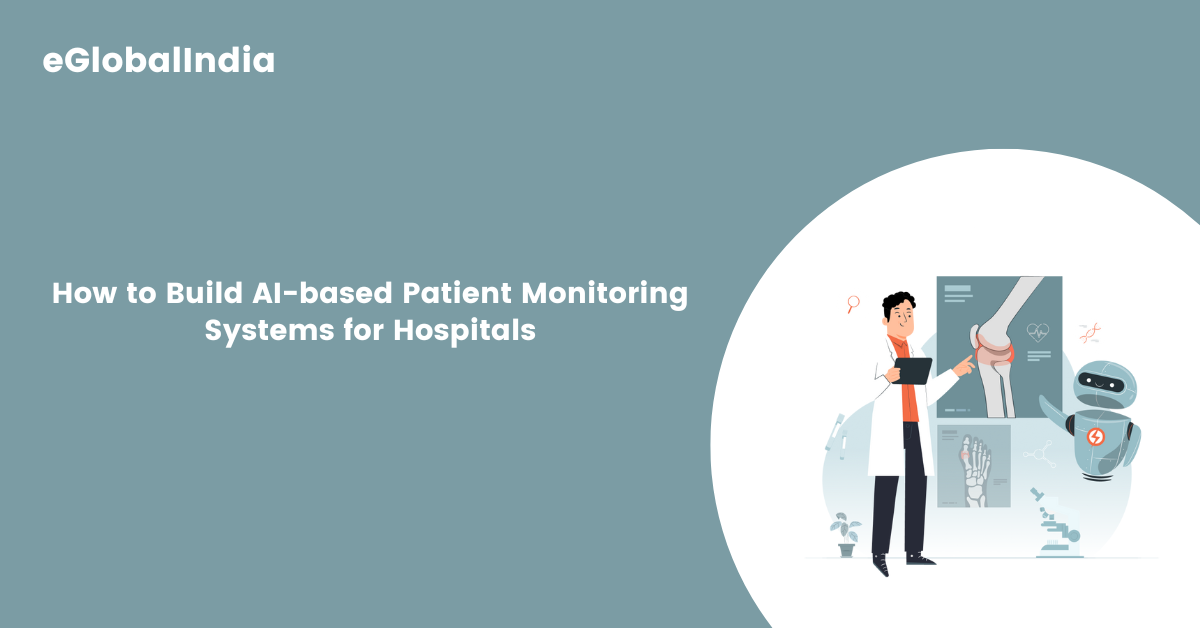
How to Build AI-based Patient Monitoring Systems for Hospitals

AI-based patient monitoring systems utilize advanced algorithms and machine learning techniques to continuously analyze patient data. These systems process information from various sources, including wearable devices, electronic health records (EHRs), and bedside monitors, to provide real-time insights into a patient’s health status. By identifying patterns and anomalies, AI enables early intervention, potentially preventing complications and reducing hospital readmissions.

Benefits of AI in Patient Monitoring

  • Early Detection of Health Issues: AI algorithms can analyze vital signs and detect subtle changes that may indicate the onset of a health problem, allowing for prompt medical intervention. 
  • Personalized Patient Care: AI enables the customization of treatment plans based on individual patient data, improving the effectiveness of interventions. 
  • Operational Efficiency: Automating data analysis reduces the workload on healthcare staff, allowing them to focus more on patient care. 
  • Remote Monitoring: AI facilitates remote patient monitoring, enabling healthcare providers to track patients’ health outside the hospital setting, which is particularly beneficial for chronic disease management. 

Steps to Build AI-Based Patient Monitoring Systems

1. Define Objectives and Requirements

Begin by identifying the specific goals of the AI-based monitoring system. Determine the patient population it will serve, the health parameters to monitor, and the desired outcomes. Engage stakeholders, including clinicians, IT professionals, and patients, to gather comprehensive requirements.

2. Data Collection and Integration

Collect data from various sources such as wearable devices, EHRs, and medical imaging. Ensure the information is reliable, thorough, and uniformly structured. Integrate these diverse data streams into a centralized system to provide a holistic view of the patient’s health.

3. Data Preprocessing

Clean and preprocess the collected data to handle missing values, remove duplicates, and normalize formats. This step is crucial for ensuring the quality and reliability of the data used to train AI models.

4. Develop AI Models

Select appropriate AI algorithms based on the monitoring objectives. Common techniques include machine learning models like decision trees, support vector machines, and neural networks. Train these models using historical patient data to recognize patterns and predict health outcomes.

5. Validate and Test Models

Evaluate the performance of the AI models using validation datasets. Assess metrics such as accuracy, sensitivity, specificity, and predictive value. Conduct pilot testing in a controlled environment to ensure the models perform effectively in real-world scenarios.

6. Implement and Integrate into Clinical Workflow

Deploy the AI models into the hospital’s IT infrastructure. Ensure smooth alignment with existing tools like EHRs and clinical support systems. Provide training to healthcare staff on how to interpret and act on AI-generated insights.

7. Monitor and Maintain the System

Continuously monitor the system’s performance and update the AI models as new data becomes available. Implement feedback loops to refine the system and address any issues that arise during clinical use.

Challenges and Considerations

  • Data Privacy and Security: Ensure compliance with regulations such as HIPAA to protect patient information. Deploy strong safeguards to protect against data breaches.
  • Regulatory Compliance: Stay informed about guidelines from regulatory bodies like the FDA regarding the use of AI in medical devices. Ensure the system meets all necessary standards and undergoes appropriate certification processes. 
  • Interoperability: Design the system to be compatible with various data sources and healthcare IT systems to facilitate seamless data exchange. 
  • User Training and Adoption: Provide comprehensive training to healthcare providers to ensure they understand how to use the system effectively and interpret AI-generated insights accurately.

Case Studies and Real-World Applications

AI in Remote Patient Monitoring

AI technology significantly enhances medication adherence by delivering tailored guidance, timely reminders, and intelligent insights to patients. Leveraging remote patient monitoring (RPM), AI continuously tracks patient habits and treatment responses, uncovers adherence trends, and proactively forecasts risks of missed or inconsistent medication intake.

AI-Enhanced Intensive Care Units

The Intensive Care Unit (ICU) is a critical environment within hospitals where patients facing life-threatening conditions receive specialized, round-the-clock care. Accurate and continuous monitoring is essential for evaluating the severity of a patient’s condition and ensuring timely, high-quality interventions. However, the current monitoring capabilities are often constrained by the demanding workload and time limitations faced by medical staff. Integrating AI-powered technologies can significantly enhance the visual observation and clinical assessment of patients, leveraging advanced learning algorithms to detect subtle changes and support faster, data-driven decision-making.

Smart Hospitals and AI Integration

Hospitals worldwide are adopting advanced technology to meet the demands of aging populations and tight budgets. The “smart hospital” market, incorporating AI, IoT, and robotics, is projected to grow significantly in the coming years. Smart hospitals utilize technology to improve patient care and operational efficiency, such as allowing patients to control their environment via smartphones and employing AI to predict sepsis risks.

Future Directions and Innovations

The integration of AI in patient monitoring is an evolving field with ongoing research and development. Future innovations may include the use of ambient intelligent sensors for continuous monitoring, AI-assisted virtual rounding to reduce physical visits, and the development of AI models capable of predicting a wider range of health conditions. Additionally, advancements in interoperability standards will facilitate more seamless integration of AI systems across different healthcare platforms.

Frequently Asked Questions (FAQs)

1. What is an AI-based patient monitoring system?

An AI-based patient monitoring system uses artificial intelligence algorithms to continuously track a patient’s health parameters (like heart rate, oxygen levels, blood pressure, etc.) and analyze this data to detect anomalies, predict health issues, and assist medical staff in decision-making. These systems combine data from EHRs, wearables, and medical devices to offer real-time insights.

2. How is AI different from traditional monitoring systems?

Traditional systems rely heavily on predefined rules and thresholds. AI-based systems, however, use machine learning and pattern recognition to learn from historical data, adapt to new patterns, and make predictive analyses. This allows for early detection of problems before they become critical.

3. Is it safe to rely on AI in critical patient care?

While AI offers valuable insights, it is intended to assist—not replace—medical professionals. The safety of AI in patient care is ensured through rigorous testing, validation, and continuous monitoring. When used correctly, AI can enhance the quality and safety of care, but final decisions should always be made by trained clinicians.

4. Can AI monitor patients remotely?

Yes, one of the most impactful features of AI in healthcare is Remote Patient Monitoring (RPM). AI-powered platforms can analyze data from home-based wearables and alert healthcare providers in case of anomalies, reducing unnecessary hospital visits and improving chronic disease management.

5. What kind of data is used in AI monitoring systems?

These systems use :

  • Physiological data (heart rate, blood pressure, oxygen saturation, temperature) 
  • Lab test results 
  • Medical imaging 
  • Electronic Health Records (EHR) 
  • Sensor and wearable data 
  • Patient activity data

Conclusion

Building AI-based patient monitoring systems in hospitals holds immense potential to transform healthcare delivery. By following a structured development process and addressing key challenges, healthcare organizations can implement effective AI monitoring solutions that enhance patient safety, improve outcomes, and optimize hospital workflows. As technology advances, AI will continue to play a pivotal role in shaping the future of healthcare.

Build your AI patient monitoring system — contact us today.

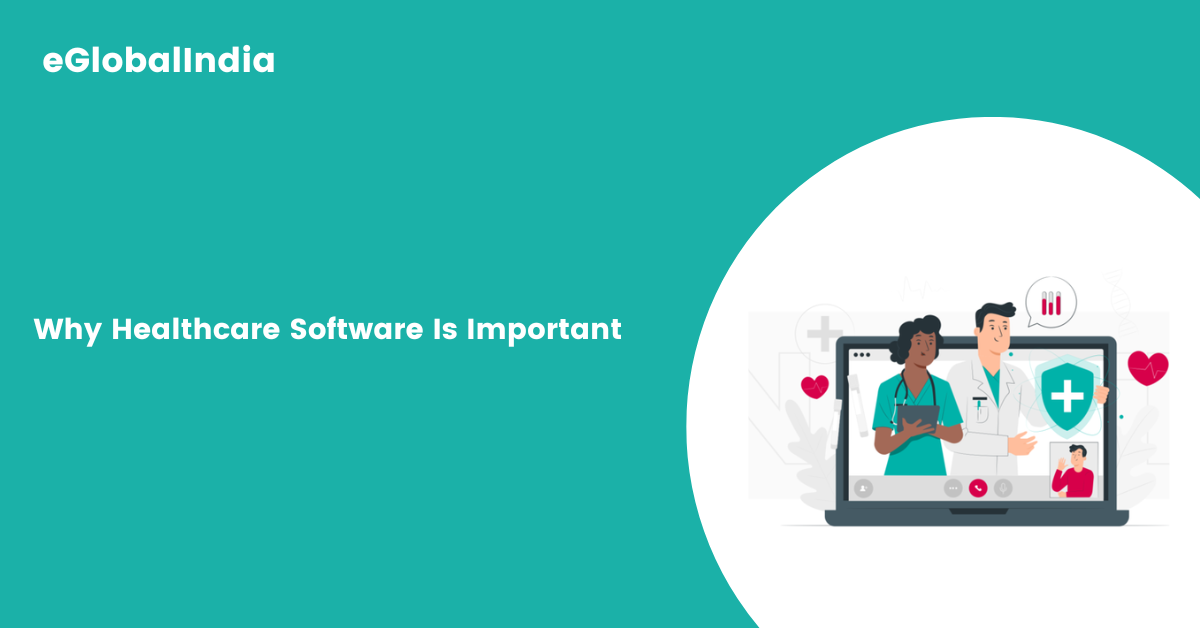
Why Healthcare Software Is Important

Why Healthcare Software Is Important

Everything is going digital. We shop online, study online, and even work online. The healthcare industry is also changing with the help of technology. One of the biggest changes is the use of healthcare software. You may have heard about online appointments, digital health records, or even video calls with doctors. All these things are possible because of healthcare software.

But why is healthcare software so important? In this blog, we will explain it in very simple words. You will understand what healthcare software is, how it helps, and why it is becoming more and more popular.

What Is Healthcare Software?

Healthcare software is a special type of computer program or mobile app made for doctors, nurses, hospitals, and patients. It is used to manage health-related tasks like :

  • Booking appointments
  • Storing medical records
  • Checking test results
  • Managing bills and payments
  • Giving online consultations
  • Sending reminders for medicines

Just like mobile apps help us order food or book cabs, healthcare software helps us manage our health better.

Types of Healthcare Software

There are many kinds of healthcare software. Each type is made for a different purpose. Here are a few common ones :

1. Electronic Health Records (EHR)

These are digital files that store all your health information like past illnesses, medicines, test reports, allergies, etc. Doctors use EHR to understand your full health history.

2. Hospital Management Software

This software helps hospitals manage appointments, rooms, staff schedules, billing, and patient care. It keeps the hospital running smoothly.

3. Telemedicine Software

This allows doctors to talk to patients online through video calls or chats. Very useful for people living far from hospitals.

4. Medical Billing Software

This takes care of hospital bills, insurance claims, and payments. It reduces human errors in billing.

5. Health Tracking Apps

These are apps that help people track their health. For example, apps that count steps, track sleep, or remind you to take medicine.

Why Is Healthcare Software Important?

Let’s now look at why healthcare software is becoming a must-have in modern hospitals and clinics.

1. Saves Time

Healthcare software helps doctors and nurses save time. Earlier, they had to write everything by hand. Now they can enter details into the computer. Patients also don’t need to stand in long lines. They can book appointments and check reports online.

2. Improves Patient Care

With proper records and fast access to patient history, doctors can treat patients better. They don’t have to guess. They can make smart and quick decisions based on medical data.

3. Reduces Errors

Manual records can be lost or have mistakes. Software reduces such errors. It gives correct information, shows alerts for wrong medicines, and prevents wrong treatments.

4. Available Anytime, Anywhere

With cloud-based software, doctors can access records anytime, even from home or other cities. This is very useful in emergencies.

5. Safe and Secure

Healthcare software keeps patient data private. Only doctors or people with permission can access the data. It uses passwords and encryption to keep everything safe.

6. Helps in Rural Areas

People living in villages or faraway places can talk to doctors online. They don’t have to travel long distances. This saves money and time and gives better health access to all.

7. Fast Billing and Insurance

Patients often worry about hospital bills. Software can automatically create bills and send them to insurance companies. This makes the payment process faster and easier.

8. Better Communication

Doctors, nurses, lab technicians, and staff can all use the same software. They can share updates, reports, and messages quickly. This helps everyone stay on the same page.

9. Reminders for Patients

Software sends reminders for doctor visits, medicines, or tests. This helps patients stay on track and not miss important things.

10. Helps in Research

Medical software collects a lot of data. This can be used by researchers to study diseases, test new treatments, and improve health policies.

Real-Life Examples

Example 1 : Online Consultation

Ravi lives in a small village. He had a skin problem but couldn’t travel to the city. Using a telemedicine app, he showed his problem to a doctor in Delhi through a video call. The doctor sent him a prescription on the app. Ravi got treatment without leaving his village.

Example 2 : Emergency Help

An old man was brought to the hospital unconscious. The doctor quickly opened the software, checked his records, and found he had a heart condition. They gave the right treatment immediately and saved his life.

Benefits of Healthcare Software for Everyone

Let’s break it down further :

For Patients :

  • Easy to book appointments
  • Can check reports online
  • Talk to doctors without visiting hospitals
  • Get medicine reminders
  • Lower medical costs over time

For Doctors :

  • Quick access to patient history
  • Better decision-making
  • Fewer mistakes
  • Saves time on paperwork
  • Can work from anywhere

For Hospitals :

  • Smooth management
  • Faster billing
  • Better coordination among staff
  • Good patient reviews
  • Saves money in the long run

Challenges in Using Healthcare Software

Even though healthcare software is very useful, there are some problems too.

1. Learning Curve

Some doctors or staff find it hard to learn new software, especially older ones. Training is needed.

2. Cost

High-quality software can be expensive. Small clinics may find it difficult to buy.

3. Internet Issues

Software needs a good internet. In remote places, this can be a problem.

4. Data Security

If not managed well, there is a risk of data leaks. That’s why strong security systems are needed.

But the good news is, these problems can be solved with better planning and support.

Future of Healthcare Software

Healthcare software will continue to grow. In the future, we will see :

  • AI-Based Software: Computers helping doctors with diagnosis.
  • Wearable Devices: Watches or bands checking heart rate, sugar levels, and more.
  • Smart Hospitals: Fully digital hospitals with robots and smart machines.
  • Global Health Records: Patients can carry their health data anywhere in the world.

The future looks bright and exciting for healthcare with the power of software.

Frequently Asked Questions (FAQs)

1. What is healthcare software?

Healthcare software is a computer program used by hospitals, clinics, doctors, and patients. It helps with booking appointments, storing health records, checking test results, managing bills, and more.

2. Why is healthcare software important?

It saves time, reduces errors, improves care, helps in emergencies, supports online treatment, and makes billing and insurance easier.

3. How does it help patients?

Patients can book appointments online, view reports, talk to doctors from home, manage medicines, and keep health records in one place.

4. Is healthcare software safe?

Yes. Most systems use passwords and data protection to keep information safe and private.

5. Can it help in rural areas?

Yes. People in villages can use telemedicine to talk to doctors and get reports without traveling far.

6. Do doctors like using it?

Most do. It helps them work faster and better. Some may need a little training at first.

7. What is an Electronic Health Record (EHR)?

It’s a digital file that stores all your health details—past diseases, allergies, test results, and doctor notes.

8. How does it help with billing?

The software creates bills and sends reports to insurance companies. It makes payments and claims simple.

9. Can I see my reports online?

Yes. Many hospitals now allow patients to log in and check their medical records, test results, and prescriptions anytime.

10. What is telemedicine?

Telemedicine means seeing a doctor through a video call, chat, or phone. You don’t need to visit the clinic.

11. Is it costly for patients?

Usually, no. It saves time and travel, which can actually lower overall costs.

12. Does it help in emergencies?

Yes. Doctors can access your health data quickly and give the right treatment immediately.

13. Does software help doctors work better together?

Yes. It lets doctors and nurses share updates and work as a team more smoothly.

14. Do hospitals need training for using it?

Yes. Hospitals often give training to staff so they can use the software easily.

15. What’s the future of healthcare software?

The future includes AI support, smart devices, online hospitals, and digital health records that work globally.

Conclusion

Healthcare software is not just a trend. It is a powerful tool that is changing the way we take care of our health. It saves time, reduces mistakes, helps doctors work better, and gives patients more control over their health.

Whether you live in a big city or a small village, healthcare software can help you get better, faster, and smarter medical care. It is already playing an important role in our lives, and in the coming years, it will become even more important.

So, if you are a patient, a doctor, or someone working in healthcare, learning and using healthcare software is a great step toward a better, healthier future.

Contact us for reliable and secure healthcare software.

What Is Composable Commerce and Why It Is Important

What Is Composable Commerce and Why It Is Important

Running an online business today means keeping up with customer needs, using the right tools, and finding better ways to grow. Many businesses are moving away from old, all-in-one eCommerce systems that are hard to change or update. These traditional platforms can slow down progress and limit new ideas. That’s why more companies are turning to something called Composable Commerce.

Composable Commerce allows businesses to build their online stores using smaller, flexible parts. Each part handles a specific job, and they can be added, removed, or replaced as needed. This makes it easier to adjust to changes, try new things, and improve customer experience without rebuilding the whole system.

This article will explain what Composable Commerce is, why it matters, how it works, and what benefits and challenges it brings. We’ll also look at real examples of businesses using this approach. Whether you’re a developer, a store owner, a marketer, or someone interested in eCommerce, this guide will help you understand the value of Composable Commerce in a simple and clear way.

Understanding Composable Commerce

Composable Commerce is a modern approach to building digital commerce experiences using best-of-breed solutions. Instead of relying on a single, monolithic commerce platform, Composable Commerce allows businesses to pick and choose individual components (services) that best meet their specific needs and integrate them seamlessly into a custom commerce stack.

This concept is rooted in the idea of Modular Architecture where each component or service (like Product Information Management, Shopping Cart, Checkout, Content Management, Payments, etc.) is independent and can be integrated via APIs. It aligns with the MACH principles:

  • M – Microservices
  • A – API-first
  • C – Cloud-native
  • H – Headless

These principles guide the design and development of systems that are agile, scalable, and adaptable to change.

Why Composable Commerce Is Important

  • Flexibility and Customization Businesses no longer want to be confined by a rigid platform. Composable Commerce provides the freedom to build a solution tailored exactly to their business model and customer expectations.
  • Faster Innovation Because you’re working with smaller, modular components, teams can innovate and release new features or updates more quickly without waiting on a full-platform release cycle.
  • Improved Customer Experience With the ability to personalize and adapt the customer journey, Composable Commerce helps businesses provide seamless and engaging experiences across all channels.
  • Future-Proof Architecture As new technologies emerge, they can be integrated into the existing system without a full overhaul, keeping the business future-ready.
  • Scalability Each component can be scaled independently, ensuring performance is maintained during peak times without scaling the entire platform.

Key Components of Composable Commerce

Composable Commerce leverages a wide variety of independent services and platforms that come together to form a complete commerce experience. Below are some essential components:

  • Headless CMS (Content Management System) – e.g., Contentful, Sanity
  • PIM (Product Information Management) – e.g., Akeneo, Pimcore
  • Search and Personalization – e.g., Algolia, Bloomreach
  • Checkout and Cart Services – e.g., Commerce Layer, Elastic Path
  • Payment Gateways – e.g., Stripe, Adyen
  • Analytics & Insights – e.g., Google Analytics, Segment
  • Customer Support Integrations – e.g., Zendesk, Gorgias

Each of these can be integrated via APIs to form a tailored solution that aligns with specific business goals.

How Composable Commerce Works

Composable Commerce allows businesses to create their own technology ecosystem by selecting and combining various independent microservices. The architecture is typically designed using the following process:

  • Identify Business Needs – Understand the unique requirements of the business and its customers.
  • Select Best-of-Breed Components – Choose the most suitable tools or services for each part of the commerce stack.
  • Integrate via APIs – Connect all services using APIs to ensure they work seamlessly together.
  • Orchestrate Workflows – Manage how data flows between components using middleware or orchestration layers.
  • Optimize and Scale – Continuously analyze performance and scale individual components as needed.

This modular approach enables continuous improvement and experimentation without disrupting the entire system.

Benefits of Composable Commerce

  • Rapid Deployment – New features can be rolled out quickly without affecting other components.
  • Enhanced Performance – Each service can be optimized individually for speed and reliability.
  • Omnichannel Readiness – Easily deliver consistent experiences across web, mobile, POS, and other channels.
  • Vendor Flexibility – No vendor lock-in; businesses can swap out components without impacting the entire system.
  • Cost Efficiency – Pay only for what you use and scale services according to demand.

Challenges of Composable Commerce

Despite its many advantages, Composable Commerce is not without challenges:

  • Complex Integration – Combining various services requires technical expertise and can be time-consuming.
  • Management Overhead – Monitoring and maintaining multiple vendors and services adds to the operational workload.
  • Higher Initial Costs – Setting up a composable system may require a higher upfront investment.
  • Security Concerns – Multiple integrations increase the potential attack surface.

However, these challenges can be managed with the right development team and strategy.

Real-World Use Cases

  • Fashion Retailer A leading fashion retailer uses a composable approach with a headless CMS for content, a PIM for product data, and a customized checkout experience integrated with Stripe and PayPal. This allows rapid updates and highly personalized customer journeys.
  • B2B Manufacturer A B2B company uses APIs to connect a pricing engine, inventory system, and customer portal. This modular setup gives sales teams real-time information and allows customers to reorder quickly.
  • Subscription-Based Business A wellness brand running subscriptions integrates a CRM, email marketing service, payment processor, and shipping API into a single ecosystem that adapts as customer behavior changes.

Who Should Use Composable Commerce?

Composable Commerce is ideal for:

  • Mid to large enterprises with complex requirements
  • Businesses looking to differentiate themselves through innovation
  • Companies targeting multiple regions and channels
  • Brands that prioritize scalability, flexibility, and performance

Startups and small businesses can also benefit if they have access to skilled developers and want to build a future-proof stack from the beginning.

The Future of Composable Commerce

As digital commerce continues to evolve, the shift towards composable architectures will accelerate. More businesses are adopting API-first, headless, and microservice-based platforms to stay ahead of customer expectations and market trends.

With the rise of AI, personalization, and real-time data-driven decisions, composable systems will become even more powerful and essential. Businesses that adopt this approach now will be better positioned to adapt and thrive in an increasingly competitive market.

Frequently Asked Questions (FAQ)

Q1: What is Composable Commerce in simple terms?

A : Composable Commerce is a modern approach where businesses build their own eCommerce system by combining the best individual tools and services instead of using one all-in-one platform.

Q2: How is it different from traditional eCommerce platforms?

A : Traditional platforms are monolithic (everything is bundled together), while Composable Commerce uses modular services that can be added, removed, or updated independently.

Q3 : Is Composable Commerce only for big businesses?

A: No. While it’s more common in mid-to-large enterprises, small businesses with the right technical resources can also benefit.

Q4 : What is MACH architecture?

A: MACH stands for Microservices, API-first, Cloud-native, and Headless—principles that guide modern digital architecture, including Composable Commerce.

Q5 : What tools are needed for Composable Commerce?

A : Tools like headless CMSs, PIMs, payment processors, cart services, and analytics tools, all integrated via APIs.

Q6 : Can I migrate from my current platform to a composable one?

A: Yes. Many businesses start by replacing one component at a time, gradually transitioning to a fully composable architecture.

Conclusion

Composable Commerce represents the future of digital commerce—flexible, scalable, and customer-centric. It enables businesses to tailor their commerce experience, innovate rapidly, and remain competitive in a dynamic market. While it comes with its own set of challenges, the long-term benefits outweigh the initial complexity.

For businesses that want to lead rather than follow, embracing Composable Commerce is not just an option—it’s a strategic imperative.

Start Your Composable Commerce Journey – Contact Us

Creating a Personal Portfolio Website: A Step-by-Step Guide

Creating a Personal Portfolio Website A Step-by-Step Guide

A personal portfolio website is an essential tool for professionals, freelancers, and creatives looking to showcase their work, skills, and experience. Whether you are a designer, developer, writer, or photographer, having an online presence can open doors to new opportunities. This step-by-step guide will walk you through the process of creating a stunning and effective personal portfolio website, covering every detail you need to know.

Why You Need a Personal Portfolio Website

A well-crafted portfolio website offers multiple benefits:

  • Professional Online Presence – Your portfolio serves as your digital resume, making it easier for potential clients and employers to find and assess your work. In today’s digital world, having an online presence is crucial to staying competitive and making a lasting impression.
  • Branding and Identity – Showcasing your skills in a visually appealing way helps build your brand. Your portfolio is not just a collection of work samples; it reflects your personality, style, and expertise.
  • Increased Visibility – A portfolio website improves your chances of getting noticed by search engines and potential clients. By optimizing your site with SEO-friendly content, you can attract visitors organically.
  • Showcase Your Best Work – Unlike a traditional resume, a website allows you to present your work creatively. You can use images, videos, animations, and interactive elements to engage visitors and highlight your projects effectively.

Step 1: Define Your Goals

Before you start building your website, determine your objectives. Ask yourself:

  • What is the purpose of my portfolio? Am I looking for freelance clients, a full-time job, or simply to showcase my skills?
  • Who is my target audience? Understanding whether you are targeting businesses, recruiters, or fellow creatives will help you tailor your content and design.
  • What work samples or projects should I showcase? Focus on quality over quantity. Select only your best work that aligns with your career goals.
  • How do I want visitors to interact with my site? Decide if you want them to contact you directly, download your resume, or view a case study.

Clarifying your goals will help shape the design, content, and overall functionality of your website.

Step 2: Choose the Right Platform

There are several platforms available for creating a portfolio website, each with its own advantages. Choosing the right one depends on your technical skills, budget, and customization needs.

1. Website Builders (Best for Beginners)

If you have little to no coding experience, website builders are the easiest way to create a portfolio. They offer drag-and-drop functionality, pre-designed templates, and easy customization.

  • Wix – A user-friendly platform with a variety of customizable templates and an intuitive drag-and-drop interface.
  • Squarespace – Known for its sleek, modern designs and robust blogging features.
  • Weebly – Affordable and beginner-friendly, offering basic customization options.

2. Content Management Systems (CMS)

A CMS offers more flexibility and control over your website, making it an excellent option for those who need scalability and advanced features.

  • WordPress – The most popular CMS, providing thousands of themes, plugins, and full customization options.
  • Ghost – Ideal for minimalist and blogging-focused portfolios, with fast performance and sleek design.

3. Custom Development (For Advanced Users)

If you have web development experience, coding your portfolio from scratch allows for complete customization.

  • HTML/CSS & JavaScript – Allows full creative control over design and functionality.
  • React or Vue.js – Ideal for building dynamic, interactive portfolio sites.

Step 3: Select a Domain Name and Hosting Service

Choosing a domain name is a crucial step in building your online identity. Your domain should be :

  • Short and Memorable – A simple, catchy name is easier to remember.
  • Personalized – Ideally, it should include your name (e.g., JohnDoe.com).
  • Professional – Avoid numbers or special characters that make it look unprofessional.

Recommended Hosting Services

A reliable hosting provider ensures fast performance and security. Some top choices include :

  • Bluehost – Reliable hosting with great customer support and WordPress integration.
  • SiteGround – High-speed servers and excellent security features.
  • Hostinger – Budget-friendly hosting with great performance and scalability options.

Step 4: Plan Your Website Structure

A portfolio website should be well-organized and easy to navigate. Essential sections include :

1. Homepage

Your homepage is the first impression visitors get. It should include :

  • A strong introduction with a professional photo and tagline.
  • A brief overview of what you do and your expertise.
  • Call-to-action buttons (e.g., “View My Work” or “Hire Me”).

2. About Me Page

  • A compelling bio that tells your story and highlights your expertise.
  • Your background, skills, and what makes you unique.
  • A professional headshot to create a personal connection.

3. Portfolio/Work Page

  • Showcase your best projects with high-quality images, videos, or case studies.
  • Include project descriptions that outline your role, challenges, and outcomes.
  • Use testimonials from satisfied clients or employers to add credibility.

4. Services Page

  • Clearly outline the services you offer.
  • Highlight your unique value proposition and why clients should choose you.

5. Blog (Optional)

  • Share industry insights, case studies, or tutorials to establish yourself as an expert.
  • Helps improve SEO and drive traffic to your site.

6. Contact Page

  • Include a contact form, email, and social media links.
  • Optionally, add a calendar for scheduling calls.

Frequently Asked Questions (FAQs)

1. How much does it cost to create a personal portfolio website?

The cost varies depending on the platform and hosting service you choose. Website builders like Wix and Squarespace offer plans starting at $10/month, while WordPress with hosting can cost around $5–$15/month.

2. Do I need coding skills to build a portfolio website?

No, you can use website builders like Wix or Squarespace if you have no coding experience. However, for full customization, learning basic HTML and CSS can be beneficial.

3. How often should I update my portfolio website?

It’s best to update your portfolio every few months with new projects, testimonials, or blog posts to keep it fresh and relevant.

4. How can I drive traffic to my portfolio website?

Optimize your site for SEO, share it on social media, engage in professional communities, and include it in your email signature and LinkedIn profile.

5. What makes a great personal portfolio website?

A great portfolio website is visually appealing, easy to navigate, mobile-friendly, fast-loading, and effectively showcases your best work and expertise.

Conclusion

Creating a personal portfolio website is an investment in your career, opening doors to new opportunities. By following this step-by-step guide, you can build a professional and visually appealing website that effectively showcases your skills and attracts potential clients or employers. Keep it updated, optimized for SEO, and aligned with your career goals to maximize its impact!

Don’t wait! Contact Us to start your portfolio website!